Nano Banana Pro

Edits People Make with Nano Banana

Start from a photo you already own instead of a blank prompt.

Nano Banana portrait moved from a grey studio backdrop to a cafe
01 / 03

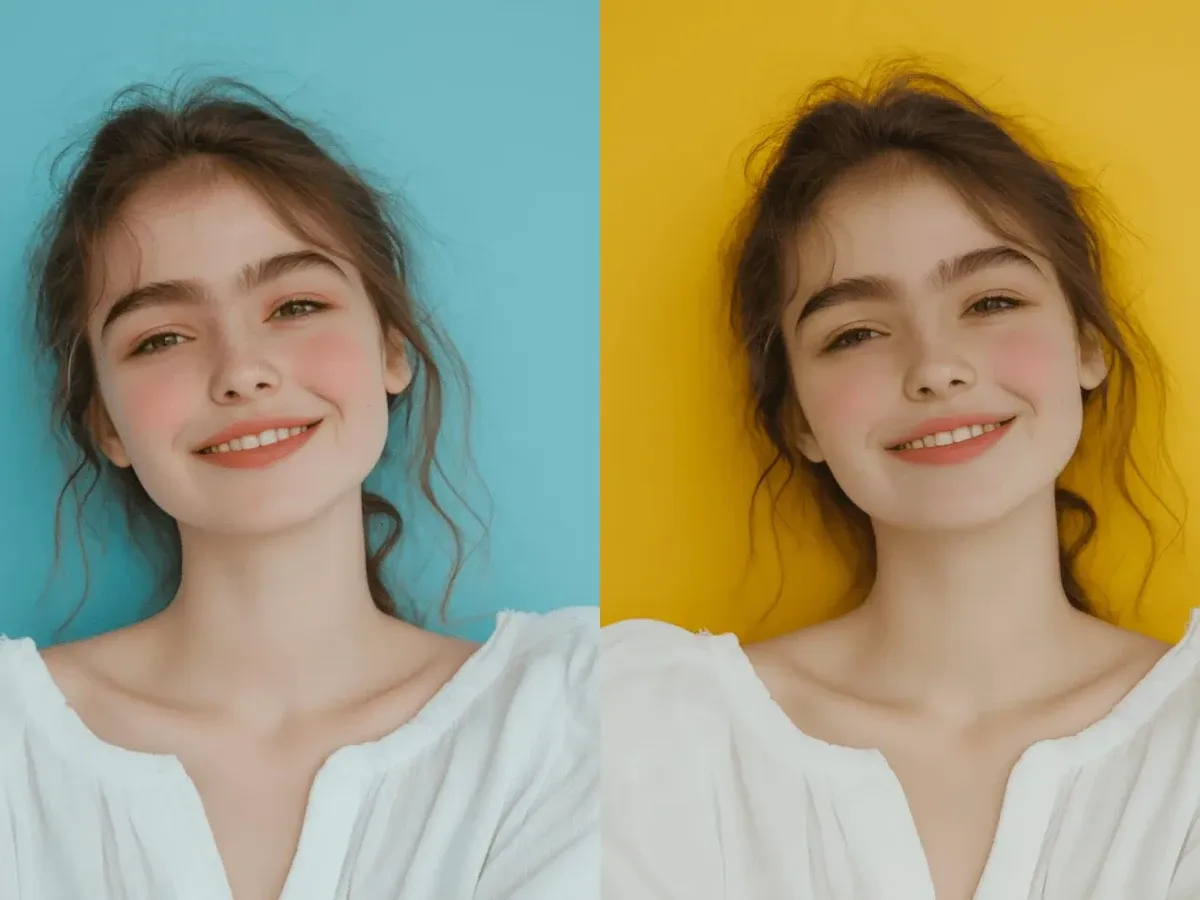
Swap the Background Without a Reshoot

Upload the portrait, switch to version 1 and its image-to-image mode, and describe the new setting. The person stays, the room changes. Compare faces with the original before you post it.

Nano Banana reference photos blended into one desert fashion scene
02 / 03

Blend Several Photos into One Scene

Attach a product, a backdrop and a prop as separate references and describe how they sit together. The image-to-image mode accepts up to ten references in one request.

Nano Banana photo of a woman restyled as an anime illustration
03 / 03

Restyle a Snapshot

Turn a phone photo into a watercolour, a clay figure or a magazine cover by describing the look. The composition comes from your photo, the style from your words.

How the Nano Banana Editor Works

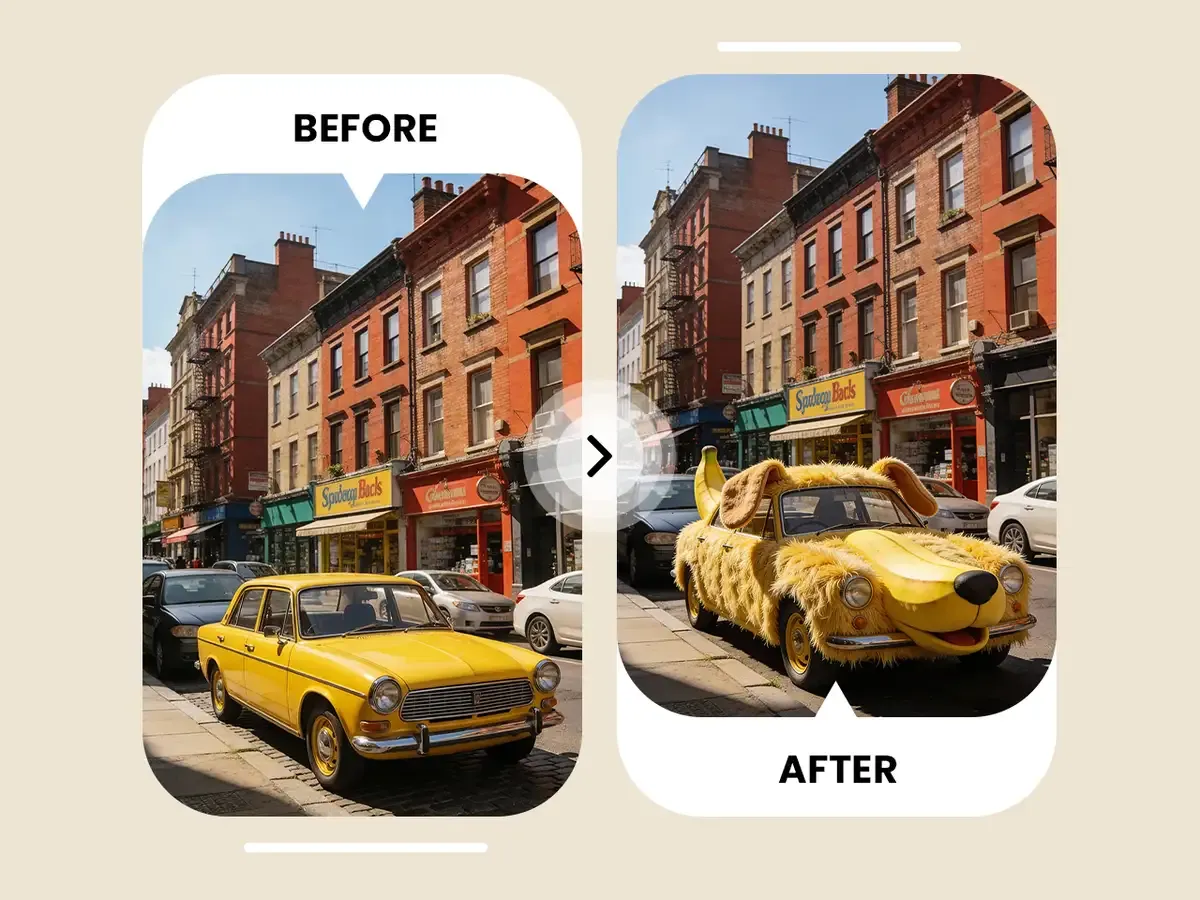
This page holds the whole Nano Banana family. It opens on version 2, which generates from a prompt and optional references. To edit an existing picture, choose version 1 in the version bar: two modes appear, Generate and Image to Image. In Image to Image you upload one to ten photos and write what should change, because the prompt is still required. The model keeps what you did not mention and rewrites what you did, then saves the result to My Creations. There are no masks or brushes; the change is described in words. Version 1 also offers eleven aspect ratios, two more than the newer versions.

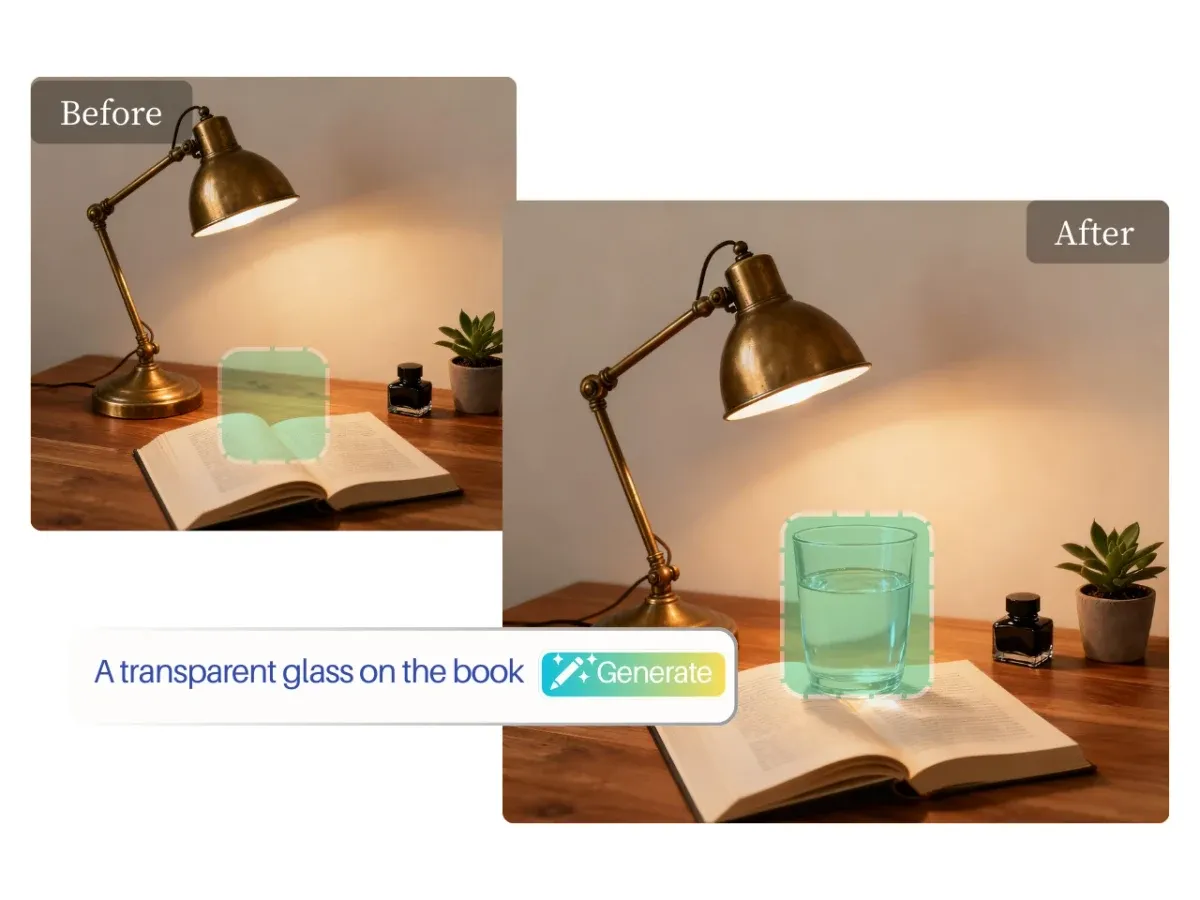
Nano Banana edit adding a glass of water to a desk scene from a short instruction

Three Ways to Work in Nano Banana

Each tab is a distinct mode or choice on this page.

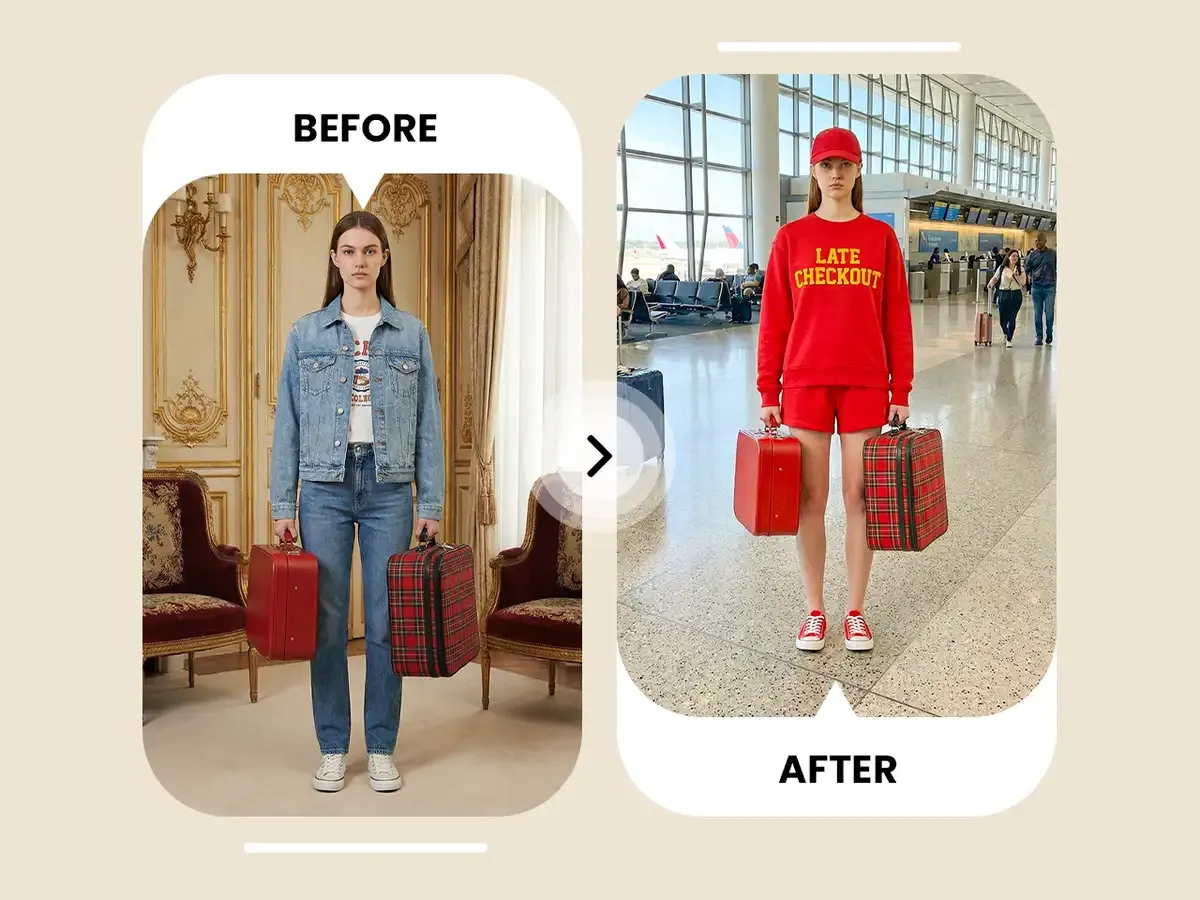
Nano Banana outfit edit from a denim jacket to a red sweatshirt at an airport

Image to Image Editing

Available on version 1. Upload a photo, say what to change, and the rest of the picture is kept as close to the original as the model can.

Details

  • Up to Ten Photos

    One subject or several to combine.

  • Edits in Words

    Describe the change instead of painting a mask.

  • Edit the Edit

    Feed a result back in for the next change.

What the Nano Banana Page Offers

Six capabilities across the family.

01

Photo Editing in Words

Change a photo by describing the edit.

02

Ten-Image Blends

Combine several photos in one request.

03

Four Versions

2, Pro, 2 Lite and 1 in one workspace.

04

Eleven Aspect Ratios

On version 1, including 5:4 and 4:5.

05

Up to 4K

On version 2 and Pro.

06

Results in My Creations

Every output saved for download and reuse.

Who Edits with Nano Banana

Three groups, two editing workflows each.

Photographer's laptop showing a photo editing session

Photographers · Fix a Background After the Shoot

Upload the keeper frame, switch to version 1 and describe a cleaner backdrop. Check skin, hands and edges at full size before delivery.

Typical edits

  • Busy street to plain wall
  • Overcast sky to golden hour
  • Remove a passer-by in words
  • Studio grey to brand colour
Woman holding a film camera by the sea

Photographers · Offer a Styled Variant

Give clients a painted or film-look version of a favourite shot by describing the style while keeping their photo as the source.

Typical edits

  • Film-grain portrait
  • Watercolour wedding print
  • Black-and-white editorial
  • Poster-style family photo
Small shop interior with products on wooden shelves

Small Shops · Place Products in New Scenes

Attach the product photo plus a setting you like and describe the arrangement. Up to ten references fit in one Image to Image request.

Typical edits

  • Candle on a bedside table
  • Mug in a café window
  • Bag on a city bench
  • Plant on a sunny shelf
Autumn leaves framing a plain surface for a product shot

Small Shops · Refresh Seasonal Photos

Keep last year's product shot and change only the season: snow, autumn leaves or spring flowers around the same item.

Typical edits

  • Winter scene for gift season
  • Autumn table setting
  • Spring window display
  • Summer outdoor version
Open photo album with family pictures

Families and Hobbyists · Combine People into One Picture

Upload separate photos of relatives and describe one shared scene. Faces can shift slightly, so compare with the originals and rerun if needed.

Typical edits

  • Grandparents and grandkids together
  • Team photo from separate shots
  • Pet added to a family portrait
  • Friends at one virtual trip
Small collectible figurines on a wooden table

Families and Hobbyists · Turn a Photo into a Figure

Ask for a collectible figurine, a cartoon or a game character based on your photo, keeping the pose you uploaded.

Typical edits

  • Desk figurine of yourself
  • Cartoon version of a pet
  • Toy box packaging mockup
  • Game-style character card

How to Edit a Photo with Nano Banana

Three actions on this page.

  1. 01
    Step

    Choose version 1

    Select version 1 in the version bar, then the Image to Image mode.

  2. 02
    Step

    Upload and Describe

    Add one to ten photos and write what should change.

  3. 03
    Step

    Generate and Compare

    Check the edit against the original, then download from My Creations.

Nano Banana Questions

What it is, how editing works and what it costs.

What is Nano Banana?

Nano Banana is the name for Google's Gemini image models. This page gives you four versions in one workspace: version 2, Pro, 2 Lite and the original version 1.

Is Nano Banana made by Google?

Yes, the models come from Google. This site is an independent online studio that runs them and is not operated by Google.

How do I edit an existing photo with Nano Banana?

Select version 1, choose Image to Image, upload your photo and describe the change. You can add up to ten images when you want to combine them.

Why don't I see the Nano Banana edit mode?

The page opens on version 2, which generates from a prompt with optional references. The Image to Image mode appears only after you switch the version bar to version 1.

Why do the Nano Banana aspect ratio options change between versions?

Each version supports its own set. Version 1 offers eleven ratios including 5:4 and 4:5; version 2 and Pro offer nine plus a choice of resolution.

Can I try Nano Banana for free?

Yes. New accounts get 10 credits once, valid for 30 days, and a version 1 edit costs 4 credits. Version 2 and 2 Lite are also open on the free tier; Pro needs a paid plan.

Nano Banana Pro

Got a Photo That Is Almost Right?