

Nano Banana Pro

What Seedream 4.0 Does Well in One Run

Batches, edits and sizes from a single model.

Seedream batch of four variations of a giant cat in a city
01 / 03

Get a Set of Options, Not One Guess

Ask for up to six images per run and compare directions side by side instead of rerunning one prompt again and again. One or two images fit the free tier; larger batches need a Basic plan.

Seedream edit placing headphones on a vivid abstract background
02 / 03

Edit a Photo You Already Have

Switch to Image Edit, upload up to ten source images and describe the change. The model rewrites what you ask for and keeps the rest close to the source, which makes it useful for backgrounds, outfits and lighting.

Seedream hiker photo extended to a new frame size
03 / 03

Pick a Size Before You Generate

Choose from nine frame presets and 1K, 2K or 4K. 1K and 2K are open on the free tier; 4K needs a Basic plan.

How Seedream 4.0 Works Here

Seedream 4.0 is ByteDance's image model that generates and edits in one architecture. On this page the Seedream workspace opens on version 4.5, so start by selecting 4.0 in the version bar. Two modes appear: Text to Image builds a picture from your prompt, and Image Edit changes one to ten source images according to your prompt, which is required in both modes. Choose a frame preset, a resolution of 1K, 2K or 4K, and how many images you want, from one to six. Results are saved to My Creations. Newer versions 4.5, 5.0 Lite and 5.0 Pro sit in the same bar if you want to compare. A practical rhythm is to explore at 1K with a batch of four, pick the strongest direction, then rerun that prompt alone at 2K or 4K for the final file.

Seedream pair of retro portrait variations in a polka-dot dress

Three Things Seedream 4.0 Handles

Each tab is a separate mode or control.

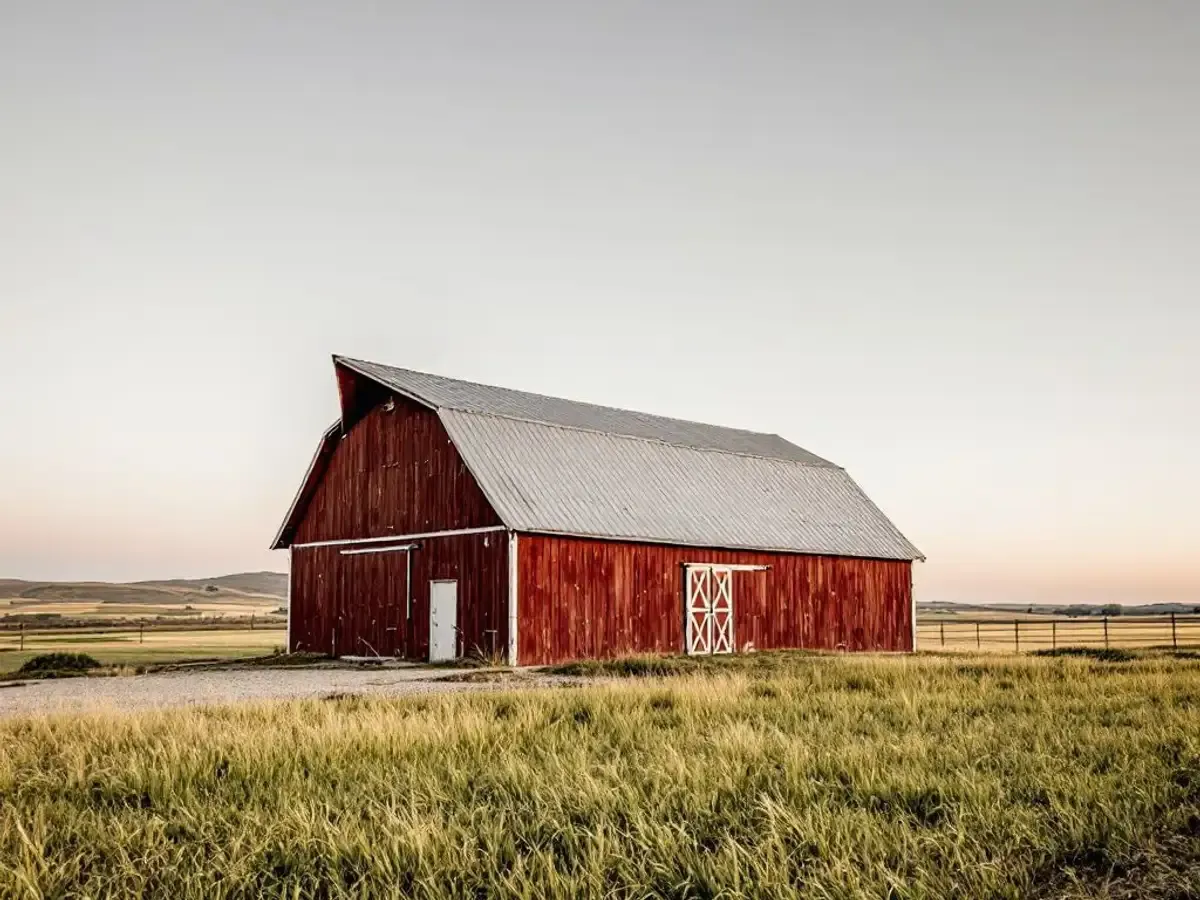
Seedream text-to-image of a red barn on a prairie

Text to Image

Describe the scene and the model renders it, from product shots and room designs to illustrated characters. Put the subject first, then setting, light and style, so the most important details lead the prompt.

Details

  • Long Prompts

    Room for detailed briefs.

  • Photo or Illustration

    Set the style in words.

  • Quick Reruns

    Adjust and generate again.

What Seedream 4.0 Brings

Six capabilities of the model.

01

ByteDance Model

Built by ByteDance's Seed research team.

02

Generate and Edit

Two modes in one model.

03

Up to Six per Run

Compare directions at once.

04

Ten Source Images

Merge several photos in an edit.

05

Up to 4K

Three resolution steps.

06

Newer Versions Nearby

4.5 and 5.0 in the same version bar.

Who Uses Seedream 4.0

Three groups, two workflows each.

Interior colour swatches and material samples

Interior Designers · Show Clients Several Directions

Describe the room once and ask for four images in one run. Clients pick a direction from the grid instead of waiting days for revisions, and you rerun only the chosen one at a higher resolution.

Typical runs

  • Scandinavian living room set
  • Three kitchen colour schemes
  • Bedroom lighting options
  • Office layout ideas
Modern living room with a grey sofa

Interior Designers · Restyle a Client's Photo

Upload the client's room photo in Image Edit and describe new furniture or paint. Check proportions before presenting.

Typical runs

  • New sofa in the same room
  • Wall colour change
  • Rug and curtains swap
  • Evening lighting version
Fashion model in a yellow outfit on a city street

Fashion Sellers · Produce Lookbook Variants

Upload a garment photo and describe models, poses and settings. A single batch returns several looks for the same item, ready for a lookbook draft or a product page carousel.

Typical runs

  • Same jacket, three settings
  • Studio and street versions
  • Seasonal styling
  • Colour variants
Knitwear hanging on a clothes rail

Fashion Sellers · Clean Up Product Photos

Use Image Edit to replace a cluttered background with a plain one, keeping the garment as close to the source as possible.

Typical runs

  • Plain white background
  • Soft shadow on grey
  • Flat-lay version
  • Hanger shot cleanup
Hand-drawn storyboard sketches on paper

Storytellers · Storyboard a Scene

Describe a character and a setting, ask for six images, and use the set as a rough storyboard for a video or comic. Reorder the frames, then refine the ones that carry the story.

Typical runs

  • Opening shot options
  • Character in three moods
  • Location scouting stills
  • Comic panel drafts
Illustrator drawing on a tablet with a stylus

Storytellers · Keep a Character Across Edits

Upload your character image as a source and change only the pose or place, so the series stays recognisable.

Typical runs

  • Same hero, new location
  • Different outfit, same face
  • Day and night versions
  • Cover and interior art

How to Use Seedream 4.0

Three actions on this page, from version choice to download.

  1. 01
    Step

    Select Version 4.0

    Pick 4.0 in the version bar, then Text to Image or Image Edit.

  2. 02
    Step

    Set the Run

    Write the prompt, add sources if editing, choose size and image count.

  3. 03
    Step

    Generate and Pick

    Review the set and download favourites from My Creations.

Seedream 4.0 Questions

Cost, versions and limits.

How much does Seedream 4.0 cost here?

Each image costs 5 credits at 1K or 2K and 15 at 4K, multiplied by the number of images in the run. New accounts get 10 credits once, valid for 30 days.

Is Seedream 4.0 made by ByteDance?

Yes. Seedream comes from ByteDance's Seed team. This site is an independent online studio that runs the model.

The page opens on Seedream 4.5. How do I switch to Seedream 4.0?

Click 4.0 in the version bar above the prompt box. The modes and settings below update to the 4.0 options, including the image-count control.

How many images can Seedream 4.0 create at once?

One to six per run. One or two are open on the free tier; three to six need a Basic plan or above.

When should I use Seedream 4.0 Image Edit instead of Text to Image?

Text to Image starts from your prompt alone. Image Edit needs at least one source image, up to ten, and changes it according to your prompt.

Can I run Seedream 4.0 locally?

On this site it runs online in your browser, so there is nothing to download or install, and results are saved to My Creations.

Nano Banana Pro

Need Several Options by This Afternoon?